
- Сканирование VirusTotal
- VirusTotal
- XenForo версия
- 2.3
Host, manage, and showcase your community’s events — beautifully and effortlessly.
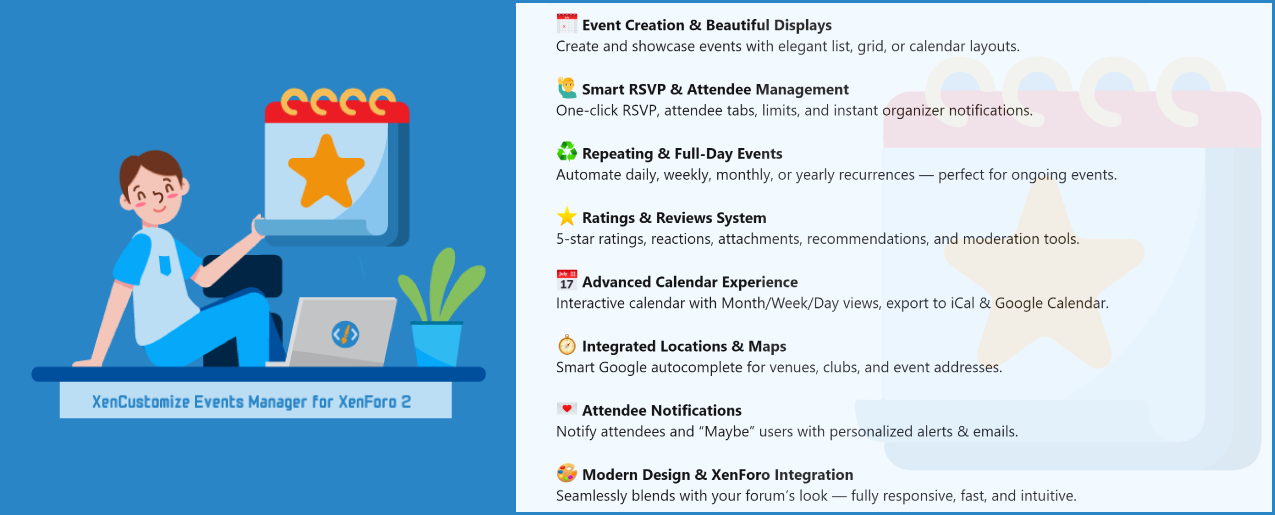
Whether you’re running a gaming clan, hobby group, or local organization, Events Manager transforms your XenForo forum into a complete event management hub.
Plan your events, engage your community with RSVP options, repeating schedules, photo galleries, ratings & reviews — and display them in stunning Calendar, List, or Card Grid views.
 Complete All-in-One Solution:
No need for multiple plugins — manage, display, and promote events all in one place.
 Designed for Engagement:
Encourage participation, reviews, and feedback with beautiful UI and interactive RSVP + rating systems.
 Built for Community:
Strengthen your XenForo community by giving users meaningful ways to connect offline or online.
 Smartly Engineered:
Follows XenForo best practices, ensuring stability, security, and compatibility with future updates.
 Visually Stunning:
Modern card layouts, ribbons, and animations make your events look professional and inviting.
 Admin-Friendly:
Every feature is configurable — from display modes to rating permissions, all through a clean tabbed interface.
Trusted & Supported by Real Communities:
Refined through community suggestions, feedback, and funding from real users since its launch.
 Perfect for Any Use Case:
Community events, webinars, product launches, tournaments, local meetups — Events Manager fits them all.
If you need a functionality that isn't clearly mentioned above, please don't hesitate to contact us before making a purchase. Once you've bought and downloaded the add-on, your order can't be refunded.
Spoiler: Click here to view 1.0.0 screenshots
Explore many dozens of suggestions we've implemented so far, complete with feature details and screenshots. This shows our commitment to listening to and acting on customer feedback.
Whether you’re running a gaming clan, hobby group, or local organization, Events Manager transforms your XenForo forum into a complete event management hub.
Plan your events, engage your community with RSVP options, repeating schedules, photo galleries, ratings & reviews — and display them in stunning Calendar, List, or Card Grid views.
- Multiple display modes: Calendar, List, and Card Grid
- Elegant layouts with ribbons, labels, and status indicators (
 Featured,
  Ongoing,
  Ended)
 - Choose default display modes for index and categories for full control
- Hide/show side-navigation blocks (Categories, Filters, Upcoming Events)
- Smart use of default event image where no image is uploaded
- One-click RSVP or detailed status selection (Attending / Maybe / Not Attending)
- Attendee counters and visual RSVP tabs
- Organizer tools to instantly notify attendees and “Maybe” users
- RSVP permissions and limits for full control
- Set events to repeat daily, weekly, monthly, or yearly
- Choose repeating duration (forever, until date, or X times)
- Mark events as Full Day — no manual time selection required
- 5-star ratings + text reviews with optional titles
- Attachments, reactions, content voting, edit history, and moderation
- Custom fields per category
- “Recommended by attendees” percentage display to boost trust
- Prevent early ratings, or restrict reviews to RSVP’d users
- Inline moderation and approval tools for admins and moderators
- Dedicated Latest Reviews page + rating averages on event lists
- Choose default calendar view (Month, Week, Day, Agenda, List)
- Option to hide weekends, change week start day, and customize colors
- Smooth navigation with instant filtering
- Export individual events or entire categories to .ics for Google Calendar and iCal
- Smart location autocomplete for addresses and place names (venues, clubs, etc.)
- Localized maps for each event with multi-language support
- Send custom alerts and emails to attendees and “Maybe” participants
- Preview participant stats before sending
- Seamless integration with XenForo Alerts + Email system
- Upload event banners and images with .webp support
- Optimized via XenForo 2.3’s Image Optimization system
- Rebuild and optimize existing images and banners through ACP rebuild tools
- Filter events by RSVP status, title, location, or public, private and upcoming events
- Widgets included: Ongoing Events, Upcoming Events, and Featured Events Carousel
- “Latest Reviews” page for quick access to fresh feedback
- Uses XenForo’s core systems: Alerts, Reports, Approvals, Reactions, Attachments, and Permissions
- Custom field support for both events and reviews
- SEO meta tags + Open Graph image support for rich social sharing
- Global rating toggle (Enable/Disable ratings site-wide)
- Clean tabbed admin interface for easy configuration
- Granular user-group permissions for RSVP, Repeating, Reviewing, and Rating
- Modern visual consistency with category branding and default images
- Clear event status labels and folded-corner ribbons
- Smooth side navigation and responsive layouts
- Create, edit, and delete events directly from the front end.
- Support for event categories with independent permissions and settings.
- Event status indicators: Active, Ongoing, Ended, Private, Repeating, Featured.
- Full-day event option — eliminates the need for start/end times.
- Repeating events system with flexible recurrence: Daily, Weekly, Monthly, Yearly.
- End conditions: Repeat Forever, Until Date, or Total Occurrences.
- Automatic next occurrence rebuild via cron for repeating events.
- Auto-rebuilding of next event dates via cron for repeating events.
- Prefilled start/end date & time when creating events for a smoother workflow.
- Time zone selection for each event during creation/editing.
- Default event image automatically used when no custom image is uploaded (list, grid, and event view).
- Supports modern image formats including WebP, with built-in image optimization and rebuild tools (Optimize Event Images / Banners).
- Private events with category-level permission “View private event.”
- Limit total events per user (permission-controlled) with friendly notice when reached.
- Fully hierarchical event category system.
- Category display mode global setting:
- List
- Card Grid
- Option to show or hide side navigation blocks (Categories, Filters, Upcoming Events).
- SEO-friendly and non-friendly URL support for category navigation links.
- Category-specific custom fields and review fields.
- Integrated permission system for category-level control.
- Dedicated Calendar view with multiple selectable layouts:
- Month, Week, Day
- List Year, List Month, List Week, List Day
- Agenda views showing event blocks with duration and time.
- Set week start day (e.g., Sunday or Monday).
- Option to include or exclude weekends.
- Control default calendar view and timescale. (yearly, monthly, weekly, daily).
- Fully customizable via style properties (colors, borders, backgrounds).
- Enhanced List and Card Grid views with clean, responsive layouts.
- Visual indicators: Featured · Ongoing · Ended
 · Private
- Three RSVP states: Attending / Maybe / Not Attending.
- Filter events by your RSVP status.
- Ability to delete RSVP status (with permission).
- Choose RSVP registrationmethods:
- Quick one-click RSVP
- RSVP status window with manual selection
- Allow users to delete their RSVP status.
- Can add repeating event permission integrated with RSVP and category permissions.
- RSVP participants tabs always displayed in fixed order (Attending > Maybe > Not Attending).
- Show attendee counts in list and grid displays.
- Require RSVP for Rating — optional restriction allowing reviews only from RSVP’d users.
- Notify Event Attendees — send alerts & emails to Attending/Maybe users.
- Dynamic organizer name and participant counts shown before sending.
- Uses dedicated alert and email templates.
- Full 5-star rating system with optional text reviews.
- Optional review titles (optional / required / disabled).
- Custom review fields (per category) positioned above or below the review.
- Event recommendations — percentage of recommenders + user avatars.
- Voting on reviews (upvote / downvote / upvote-only / disabled).
- Reactions support (standard XF reactions).
- Attachments support (images/videos) with file type + size limits.
- Display ratings and review count (e.g., 4.75 – 6 Reviews) on list/grid views.
- “Latest Reviews” page (/events/latest-reviews) with full voting & sorting.
- Prevent ratings before event starts (optional).
- Require RSVP to rate (event-level toggle).
- Event-level “Ratings Open” control per event.
- User-level controls to edit/delete own reviews within a time limit.
- Advanced moderation tools: approval queue, inline mod, undelete, warnings, hard delete.
- Fully integrated with XenForo core systems:
- Approval Queue
- Alerts
- Warnings
- Inline Moderation
- Search
- Attachments
- Content Voting
- Edit History
- Reactions
- Reports
- News Feed & Latest Activity
- Admin options includes:
- Reviews per page
- Require text review when rating
- Review title control (optional, required, or hidden)
- Min/max review length
- Allow event ratings (global toggle)
- Prevent ratings before event starts
- Time limit for editing/deleting own reviews
- Enable event recommendations
- Allow review voting (upvote/downvote, upvote-only, or disabled)
- Allowed attachment types and max file size
- Recent reviews count for widgets
- User group permissions for:
- Viewing, posting, editing, deleting, and approving reviews
- Attaching images/videos to reviews
- Voting and reacting to reviews
- Submitting reviews without approval
- Reviewing own events
- Multiple reviews per event
- Event-level controls:
- Enable/disable ratings per event
- Require RSVP to rate
- Integrated Google Places Autocomplete for flexible event location input:
- Supports address-based and establishment/place name searches.
- Flexible entry (venues, stadiums, clubs, etc.).
- Updated location handling with improved accuracy and event edit form UX.
- Per-event time zone selection.
- Export individual events or entire categories to .ics format (iCal compatible).
- Smart file naming (based on event title/category).
- Includes all essential details: title, date/time, and description.
- Enhanced SEO meta tags and Open Graph images for rich social sharing.
- Upcoming Events widget (category filter supported).
- Ongoing Events (Carousel) widget — auto-created on install or upgrade:
- Displays “Ongoing” ribbon and event end time.
- Featured Events Carousel — redesigned with event date/time and “Featured” ribbon.
- Latest Reviews page (count configurable).
- Optionally show/hide side navigation blocks (Categories, Filters, Upcoming Events).
- Notify Event Attendees feature to send alerts/emails to attendees and “Maybe” users.
- Includes participant count overview before sending.
- Supports both alerts and emails using dedicated templates.
- Organizer name shown dynamically for personalization.
- Integrated recommendation + review feedback mechanisms for engagement.
- Rich permission system controlling all event, RSVP, review, and rating actions.
- Batch Update Users and Search Users support with “Event count between” filter.
- Integrates smoothly with XenForo’s moderation and approval systems.
- Fine-grained control per user group:
- Create / edit / delete events
- Manage repeating events
- Rate / review events
- Approve / delete / moderate reviews
- Upload review attachments
- RSVP and send attendee notifications
- Category-level permissions for complete flexibility.
- Clean, tabbed admin options interface for better navigation:
- General
- Events
- Calendar
- Locations
- RSVP
- Reviews
- Extra
- Tools → Rebuild Caches:
- Optimize Event Images
- Optimize Event Banners
- Global toggle for enabling/disabling event ratings and reviews.
- Category-specific custom and review fields management.
- Cron and rebuild tasks for repeating events and optimizations.
- Card Grid view for categories and widgets.
- Refined grid and list styling for cleaner presentation.
- Ongoing / Featured / Ended / Private ribbons with animations and overlays.
- Recolored and modernized default event image.
- Fully responsive and compatible with XenForo style.
- Consistent display of attendees, status, and ratings across all view modes.
- Compatible with XenForo 2.3.0+ (minimum requirement).
- Optimized for XF 2.3’s new image handling and macro syntax (xf:macro id).
- Efficient query logic and clean template macros.
- Automatic widget setup on installation and seamless upgrades.
- Multilingual and style-property friendly.
- Smooth upgrades with zero conflicts.
- Linked discussion threads for each event (optional).
- Event shares enhanced with OG images + meta tags.
- Inline moderation for both events and reviews.
- Event recommendation stats foster trust & engagement.
Complete All-in-One Solution:No need for multiple plugins — manage, display, and promote events all in one place.
Designed for Engagement:Encourage participation, reviews, and feedback with beautiful UI and interactive RSVP + rating systems.
Built for Community:Strengthen your XenForo community by giving users meaningful ways to connect offline or online.
Smartly Engineered:Follows XenForo best practices, ensuring stability, security, and compatibility with future updates.
Visually Stunning:Modern card layouts, ribbons, and animations make your events look professional and inviting.
Admin-Friendly:Every feature is configurable — from display modes to rating permissions, all through a clean tabbed interface.
Trusted & Supported by Real Communities:Refined through community suggestions, feedback, and funding from real users since its launch.
Perfect for Any Use Case:Community events, webinars, product launches, tournaments, local meetups — Events Manager fits them all.
- 1.2.x Supports XenForo 2.2
- 1.3.x and 2.3.x Supports XenForo 2.3
If you need a functionality that isn't clearly mentioned above, please don't hesitate to contact us before making a purchase. Once you've bought and downloaded the add-on, your order can't be refunded.
Spoiler: Click here to view 1.0.0 screenshots
Explore many dozens of suggestions we've implemented so far, complete with feature details and screenshots. This shows our commitment to listening to and acting on customer feedback.
- Events Manager: Refined Card Grid Design
- Events Manager: Support for WebP File Extension
- Events Manager: Enhancements on Event View
- Events Manager: Ongoing Event Indicator on Event View
- Events Manager: Enhancements to Widget - Featured Events (Carousel style)
- Events Manager: Widget - Ongoing Events (Carousel Style)
- Events Manager: Export events to calendar ics format
- Events Manager: Remove Event Categories, Filters, Widgets from Events Listing Page
- Events Manager: Card view in categories
- Events Manager: Show number of discussion replies
- Events Manager: Show number of photos
- Events Manager: Clear Indication of Private Events
- Events Manager: Permission Error Message for Private Event Viewing
- Events Manager: Creating Private Events Exclusive to Specific User Groups
- Events Manager: Title Length Limitations and Description Renaming Needed
- Events Manager: Single Day Events should be the standard
- Events Manager: Filter Events by My RSVP Status
- Events Manager: Hide Custom Fields Section if No Custom Fields Exist
- Events Manager: Delete RSVP Registration Status
- Events Manager: Can Add Repeating Event Permission
- Events Manager: Maximum Events Per User Permission
- Events Manager: Display Attendees Count in both List and Grid Display Modes
- Events Manager: Event Active Status also Display in Grid Display Mode
- Events Manager: Display Repeating Status in both List and Grid Display Modes
- Events Manager: Events list sorted by date
- Events Manager: More Space between Event detail and Custom Fields
- Events Manager: Calendar View
- Events Manager: Recurring events
- Events Manager: More intuitive RSVP Registration options
- Events Manager: Category Choices for Upcoming Events Widget
- Events Manager: Event start and end time
- Events Manager: Style properties for Event view sections
- Events Manager: Make "Purpose" optional, get rid of the avatar
- Events Manager: Event notes feature enable/disable option
- Events Manager: RSVP Functionality
- Events Manager: Ability to move "Event Details" to the top (or top Cover Image)
- Events Manager: Time for creating an event should be less wide
- Events Manager: Event creator does not count against RSVP
- Events Manager: Option to disable RSVP
- Events Manager: Event Tab View Permission
- Events Manager: Link Events to already created thread
- Events Manager: Custom Fields & Their Display Locations
- Events Manager: Reassign Events
- Events Manager: Send Notification to Event Attendees (v2.3.5)
- Events Manager: Enable Adding Locations by Place Name in Addition to Address (v2.3.5)
- Events Manager: Event Count Between Filter (v2.3.6)
- Events Manager: Event OG Image on Social Media (v2.3.6)
- Events Manager: Extended "Can add repeating event" permission to work with category permissions (v2.3.6)
- Events Manager: Include Organizer's Name in Attendee Notification Alerts and Emails (v2.3.6)
- Events Manager: Event Ratings & Reviews System! (v2.3.7)
- Events Manager: Event Recommendations (v2.3.7)
- Events Manager: Anonymous Event Reviews (v2.3.7)
- Events Manager: Event Review Attachments (v2.3.7)
- Events Manager: Event Review Voting (v2.3.7)
- Events Manager: Event Review Reactions (v2.3.7)
- Events Manager: Event Rating Timing Control (v2.3.7)
- Events Manager: Event-Level Rating Control (v2.3.7)
- Events Manager: Require RSVP for Event Rating (v2.3.7)
- Events Manager: Advanced Review Management & Moderation (v2.3.7)
- Events Manager: Visibly mark events that are no longer current (v2.3.8)
- Events Manager: "Allow event ratings" option in "Rating options" (v2 3.8)
- Events Manager: Tabbed admin options interface (v2.3.8)
- Events Manager: Default Event Image (v2.3.8)